Utilify Zone

In today’s fast-paced digital world, time is your most valuable asset. Whether you’re a developer, designer, writer, or marketer, small repetitive tasks like editing text, converting images, or designing gradients can quietly steal hours from your day.
That’s where UtilifyZone.com changes the game.
UtilifyZone is a free online platform packed with powerful, browser-based utilities built to simplify your daily workflow. There are no downloads, no sign-ups, and no hidden costs — just fast, secure, and easy-to-use tools that help you get things done faster.
Let’s explore how UtilifyZone’s free tools can save you hours of effort every single day while keeping your work polished, efficient, and professional.
1. Save Design Time with the Free CSS Gradient Generator
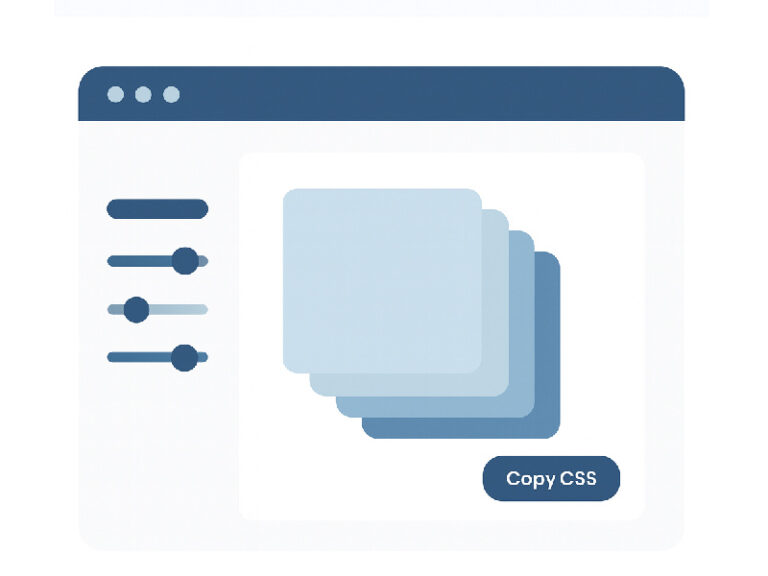
Designing modern, smooth gradients manually can take forever — tweaking angles, adjusting colors, and testing in different browsers. But with UtilifyZone’s CSS Gradient Generator, you can create beautiful gradients in seconds.
Here’s what you can do:
- Create linear or radial gradients visually
- Adjust colors, angles, and opacity in real time
- Preview instantly and copy clean CSS code in one click
No coding, no design software — just pure creativity in your browser. It’s perfect for developers and designers who want to create professional, eye-catching backgrounds in minutes.
2. Edit and Format Text Instantly with the Online Text Editor
Sometimes, you just need a quick place to write or format text — without the bulk of Word or Google Docs.
The Free Online Text Editor from UtilifyZone gives you a clean, distraction-free workspace directly in your browser. You can:
- Write, edit, and format text instantly
- Create HTML-friendly documents
- Save and copy text securely — no sign-up required
It’s a go-to for developers documenting code, marketers editing content, or students working on assignments. Everything runs locally, so your data never leaves your device, keeping your work safe and private.
3. Convert Multiple Images at Once with the Free Bulk Image Converter
If you’ve ever had to convert images one by one, you know how much time it takes — especially when handling large batches for websites or clients.
That’s where UtilifyZone’s Bulk Image Converter shines. You can:
- Convert multiple images at once
- Choose between JPG, PNG, and WEBP formats
- Process images instantly — no uploads, no tracking
This tool is perfect for web developers optimizing page speed, designers preparing assets, or content creators managing social media visuals. It all happens directly in your browser, instantly.
4. Generate Custom QR Codes in Seconds
QR codes have become a daily essential — for websites, product packaging, restaurant menus, and marketing campaigns. But most tools add watermarks or require sign-ups.
With UtilifyZone’s Free QR Code Generator, you can create clean, high-quality QR codes instantly.
You can:
- Generate QR codes for URLs, text, emails, or Wi-Fi access
- Customize your design — no watermarks, no registration
- Download your QR code instantly in HD quality
This tool is ideal for developers, business owners, and marketers who need quick, professional QR codes for digital or print use.
5. Find and Analyze Text Patterns Instantly
Manually checking large text files or cleaning code can be slow and frustrating. That’s where the Text Pattern Finder becomes your best friend.
This smart tool helps you:
- Detect duplicate words or patterns instantly
- Find hidden characters and formatting errors
- Analyze keyword usage for SEO optimization
Everything runs locally in your browser, ensuring your data stays private. It’s perfect for developers debugging code or writers checking keyword density and text structure.
Why Professionals Love UtilifyZone
UtilifyZone isn’t just another set of random tools — it’s a complete productivity suite designed with simplicity, speed, and privacy in mind. Here’s why professionals around the world love it:
- Completely Free – No subscriptions, hidden limits, or paywalls
- Fast and Lightweight – Tools load instantly and work on any device
- Privacy-Focused – Everything runs in your browser, no data tracking
- All-in-One Platform – A single hub for essential daily utilities
Each tool is built to do one thing extremely well — saving you time while keeping your workflow smooth and secure.
A Real-World Example: How a Developer Saves an Hour a Day
Imagine you’re building a new landing page.
Here’s what a typical workflow might look like using UtilifyZone:
- Design a beautiful background using the CSS Gradient Generator.
- Write your content with the Online Text Editor.
- Optimize your visuals using the Bulk Image Converter.
- Generate a QR code for quick access to the page.
- Check your text patterns for keyword balance and formatting.
No sign-ups, no installs, no waiting. Just smart, free web utilities doing the heavy lifting while you focus on creativity and results.
Final Thoughts
In 2025, working smarter beats working harder — and that’s exactly what UtilifyZone helps you do.
By using free, browser-based utilities from UtilifyZone.com, you can simplify your daily tasks, save hours of repetitive work, and stay focused on what truly matters: creating, building, and innovating.
Whether you’re coding, designing, or writing, UtilifyZone gives you the tools to move faster — without sacrificing quality or privacy.
Start saving hours every day — visit UtilifyZone.com and explore your new productivity toolbox today.