 Utilify Zone
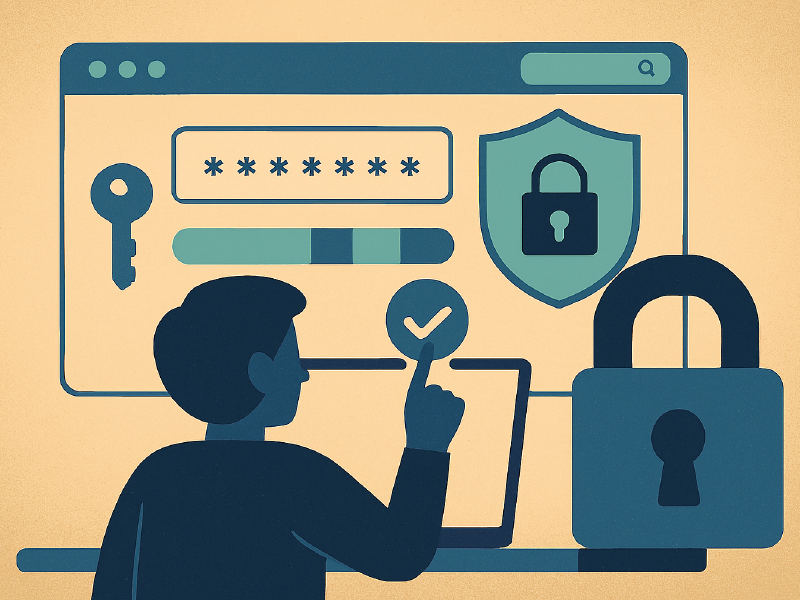
Weak passwords are one of the fastest ways people lose accounts, data, clients, income—even entire digital businesses. Most developers and creators know this — but ironically, even technical people still reuse passwords, build simple patterns, and underestimate how advanced cracking methods have become.
Most people don’t get hacked because of “huge elite-level cyber attacks.”
They get hacked because their password was predictable.
This exact problem is why password strength tools are becoming must-have workflow utilities — especially browser-based tools like Password Genrator and Strength Checker, which you can use instantly while building something, signing up on new platforms, onboarding new services, testing, deploying, or creating accounts for automation systems.
And this is exactly where UtilifyZone’s free Password Generator & Strength Checker becomes a real daily power tool. Because security is no longer just a cybersecurity department responsibility — it is a developer habit, a marketer habit, a creator habit, a business owner survival requirement.
The Real Hidden Problem: Human Bias Generates Weak Patterns
Humans make “patterns.”
Machines break patterns.
When people create their own passwords, they subconsciously follow easy mental shortcuts:
- familiar words
- birth year
- name initials
- repeat small variations
- swap letters with obvious symbols (like a → @, s → $)
Hackers know this.
AI-based brute-force systems know this.
Dictionary-generated cracking systems exploit this.
That is why manually thinking of passwords is outdated and dangerous.
A free password generator removes human bias — and bias removal is the most important factor for real security strength.
Browser Tools Becoe The Fastest Security Layer
In the current developer culture, browser utilities like UtilifyZone’s Password Genrator and Strength Checker tool are becoming the new security baseline because they require no setup, no software install, no configuration time. You open browser → generate → check strength → use.
That speed + frictionless process makes security something you actually do instead of something you plan to do later.
This is how workflow efficiency improves:
small security steps done in seconds.
How a Password Generator + Strength Checker Improves Your Workflow
This tool is not just for creating passwords.
It fits across many daily tech tasks:
- creating new app accounts
- setting up services
- generating API keys
- creating login credentials for client projects
- securing staging servers
- building automation bots
- creating software test accounts
- managing new platform sign-ups fast
Developers lose hours weekly in mental load building passwords manually.
Removing that mental load → increases focus → increases speed → increases output quality.
This one tiny utility removes a recurring cognitive bottleneck.
What Makes UtilifyZone’s Tool Powerful
Most password generators online give you a random password — but they never verify strength correctly. Strength checking + generation inside the same tool is the real formula that makes security reliable.
UtilifyZone’s free browser utility gives you:
- instant random password generator
- adjustable character rules
- entropy-based strength evaluation
- complexity score based on patterns
- instantly readable pass / fail security clarity
- no uploads, no tracking, no saving data
Because processing happens locally in your browser.
Local processing matters. It means no server is storing or touching your generated password. It stays fully inside your device environment.
This is extremely important for modern privacy trust.
try it here => https://utilifyzone.com/password-generator-and-strength-checker
How To Use This Tool For Maximum Security Advantage (Practical Hacks)
- Always use long passwords
Length > complexity.
Random 20+ characters is harder to brute force than clever 10 characters. - Never re-use password structures
“Same base core + different ending number” — hackers love this weakness. - Use this generator for every new platform you join
You don’t need to “think passwords.”
You outsource that to entropy randomness. - Use strength checker to validate existing old passwords
Clean your old system slowly but surely. - Store passwords inside encrypted password manager only
Browser generator + encrypted manager = safest combo.
Why UtilifyZone’s Tool Is Better Than Most Free Alternatives
Most free password generators online still:
- store passwords in backend logs
- display ads that fingerprint users
- track usage metrics
UtilifyZone’s browser utility avoids all 3 because everything stays client-side.
This is a hidden advantage many users don’t understand.
The best security is when data never leaves your device.
This Is A Developer Mindset Upgrade
Security tools must match developer workflow speed.
A security step that takes 1 second is far more likely to be done than a security step that requires an app install or additional setup.
This tool removes the “friction cost” of doing security right.
Speed + security = new default development habit.
This is how efficiency increases.
Example Story: Agency Developer Using This Tool Daily
A freelance developer working with multiple SaaS brands often creates staging accounts, automation testing platforms, campaign dashboards, temporary sandbox platforms for testing, and client-level credentials.
Before using UtilifyZone’s browser generator, she said she spent a ridiculous amount of time thinking of passwords and writing them in notes temporarily before transferring into a password manager.
After switching to a browser-based generator + checker:
- each credential is created instantly
- passwords are always strong
- zero cognitive load
- no pattern repetition
- client security trust increased
- she literally saves 35 to 60 minutes weekly
That time compound turns into more coding done, more billable output, less risk.
This is the real ROI of tiny browser utilities:
micro efficiency — multiplied over time — becomes macro growth.
Final Takeaway
Developers and creators do not need expensive cybersecurity suites to start raising their protection level.
They need frictionless tools that encourage secure behavior daily — naturally inside the browser without effort.
UtilifyZone’s Password Generator & Strength Checker is one of those tools that transforms security from a “task” into a “reflex step.”
If you want to create strong, unbreakable passwords instantly, avoid predictable patterns, block brute force attacks, and guard your accounts without thinking deeply about it — start using this free browser utility as part of your daily workflow.
Small habits generate massive security advantage.
Strong automated randomness → equals long-term digital safety.
Security efficiency is now part of development efficiency.
try it here => https://utilifyzone.com/password-generator-and-strength-checker