Utilify Zone

Designers and developers often need realistic content before final copy is ready. This is where a dummy text generator becomes an essential part of modern workflows. Instead of leaving empty spaces or relying on confusing fillers, placeholder content allows teams to focus on structure, layout, and usability without distractions.
A well-built placeholder tool helps simulate real content length, improves collaboration, and speeds up design decisions. With the rise of UX-focused design and accessibility standards, readable placeholders are now preferred over random Latin text. Tools like the one offered by UtilifyZone make it easy to generate meaningful placeholder text instantly, directly in the browser, without sacrificing privacy or performance.
What Is Dummy Text and Why It Is Still Used Today
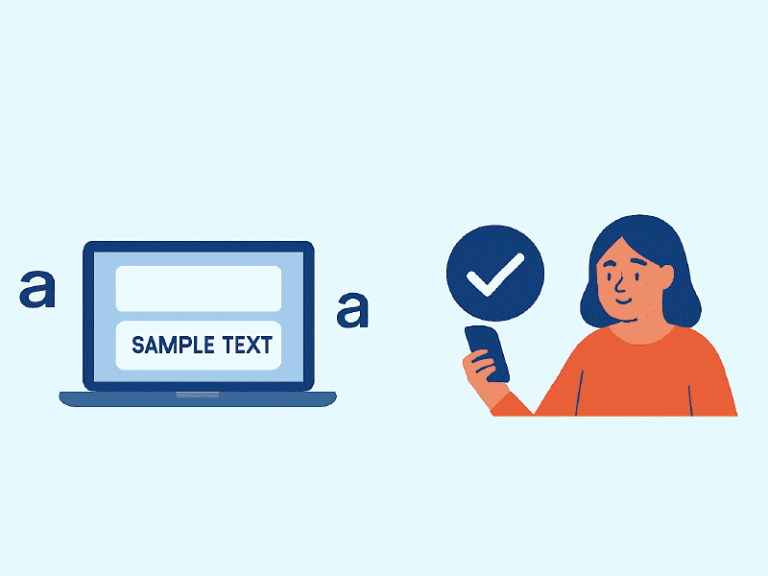
Dummy text is temporary content placed into designs or layouts to represent future written copy. It acts as a dummy text placeholder that helps visualize spacing, typography, and hierarchy before final text is available. This practice is widely used in web design, app development, marketing templates, and CMS themes.
Historically, designers used Latin filler text, but modern workflows demand clarity. Readable placeholder content allows stakeholders to focus on structure rather than deciphering unfamiliar words. It also improves collaboration between designers, developers, and content teams by setting realistic expectations early in the process.
Today, dummy text is not about filling space—it’s about testing real-world behavior of layouts under realistic conditions.
Dummy Text Generator vs Lorem Ipsum: A Practical Comparison
A traditional lorem ipsum generator produces Latin-based text that looks neutral but often confuses non-designers. Many teams now prefer a lorem ipsum alternative that provides readable English content without carrying real meaning.
Readable placeholder text improves feedback quality during reviews. Clients can scan layouts naturally, accessibility tools behave more accurately, and UX testing becomes more reliable. This shift is especially important in accessibility-first and content-led design processes.
Modern tools focus on usability rather than tradition, helping teams design with clarity instead of distraction.
How a Dummy Text Generator Improves Design and Development Workflow
A placeholder generator reduces friction during early-stage design and development. Designers use dummy text for web design to test layout balance, while UX teams apply dummy text for ui ux to evaluate user flows without final copy.
Developers benefit from dummy text for developers when building components or testing responsiveness across screen sizes. By simulating realistic content, teams catch spacing and overflow issues early—saving time and rework later.
This approach leads to faster approvals, fewer revisions, and smoother collaboration across teams.
Best Practices for Using Dummy Text Without Hurting SEO or UX
Using dummy text correctly is essential to avoid usability or SEO issues. Placeholder content should always be removed before publishing a live page. Leaving dummy text indexed by search engines can confuse users and negatively impact trust. The best practice is to treat dummy text as a development-only asset, not production content.
Design teams should also avoid overusing placeholder text in accessibility testing. While readable dummy text helps simulate real behavior, final checks should always include real copy to ensure accurate tone, clarity, and intent. Another best practice is maintaining consistent paragraph lengths so layouts reflect realistic reading patterns.
UtilifyZone’s approach supports responsible usage by allowing precise control over paragraph count and word length. This ensures layouts remain accurate during testing while keeping production environments clean. When used thoughtfully, dummy text improves UX planning without compromising SEO or credibility.
Real-World Applications of Dummy Text in Digital Projects
Dummy text is used across many practical scenarios. Designers rely on dummy text for figma when creating wireframes and design systems. During early planning stages, dummy text for wireframes and dummy text for mockups help validate layout logic before visual polish begins.
Marketing teams use dummy text for landing pages to preview conversions, while content teams test dummy text for typography to refine readability and hierarchy. CMS developers also use dummy text for wordpress themes to ensure templates handle long and short content gracefully.
Each use case focuses on realism, not randomness.
How Dummy Text Helps Content Teams, Marketers, and Agencies
While dummy text is often associated with designers and developers, it plays an equally important role for content teams and digital agencies. Marketing professionals frequently use placeholder content when planning website structures, campaign landing pages, and email layouts before final copy approval. By using realistic placeholder text, teams can focus on layout balance, call-to-action placement, and content hierarchy without being blocked by unfinished messaging.
Agencies working with multiple clients benefit from dummy text during proposal stages. It allows them to demonstrate layouts, page flows, and design concepts clearly without exposing client data. Content strategists also rely on dummy text to plan editorial sections, blog templates, and CMS structures before real articles are written.
When combined with tools like UtilifyZone’s Dummy Text Generator, teams can move faster, present ideas more clearly, and reduce revision cycles—making placeholder content a productivity asset rather than a temporary filler.
Paragraph Control and Content Length Flexibility
Modern tools support dummy text paragraphs and dummy text by word count, giving users precise control over output length. This flexibility is essential when testing real layouts, especially responsive designs.
For example, long paragraphs reveal scrolling behavior, while short blocks help validate card layouts. Marketing teams also rely on dummy text for email templates to test subject-line balance and preview panes.
Being able to adjust content length improves accuracy and reduces last-minute layout surprises.
Accessibility and Layout Testing with Readable Placeholder Text
Readable placeholders play a key role in dummy text accessibility testing. Screen readers, contrast tools, and line-height evaluations work more accurately with natural-language content.
Design teams also apply dummy text content testing during QA to identify layout issues under realistic conditions. Combined with dummy text layout testing, this approach helps meet accessibility standards and improve usability before launch.
This is especially valuable for inclusive design and compliance-focused projects.
Using UtilifyZone’s Dummy Text Generator Effectively
UtilifyZone provides a fast, browser-based solution designed for real workflows. The tool supports dummy text copy paste, works as a dummy text generator no signup, and is optimized as a dummy text generator fast with a dummy text generator privacy safe approach.
For better design workflows, it pairs well with other tools like the Accessible Color Palette Generator for contrast testing and visual clarity:
https://utilifyzone.com/accessible-color-palette-generator/
Explore the full toolkit on the homepage:
https://utilifyzone.com/
Frequently Asked Questions
What is a placeholder text generator used for?
A placeholder text generator is used to simulate real content during design and development before final copy is ready.
Is readable dummy text better than Lorem Ipsum?
Yes, readable content improves usability testing, accessibility checks, and client feedback.
Can dummy text be used for app design?
Yes, many teams rely on dummy text for app design to test mobile layouts and onboarding flows.
Final Thoughts: Choosing the Right Dummy Text Generator
A modern dummy text tool should prioritize clarity, control, and privacy. When teams use realistic placeholders, they design better layouts, collaborate more efficiently, and launch with fewer surprises. Choosing the right generator is not about tradition—it’s about workflow quality.
Users can generate content instantly here:
https://utilifyzone.com/dummy-text-generator/