Utilify Zone
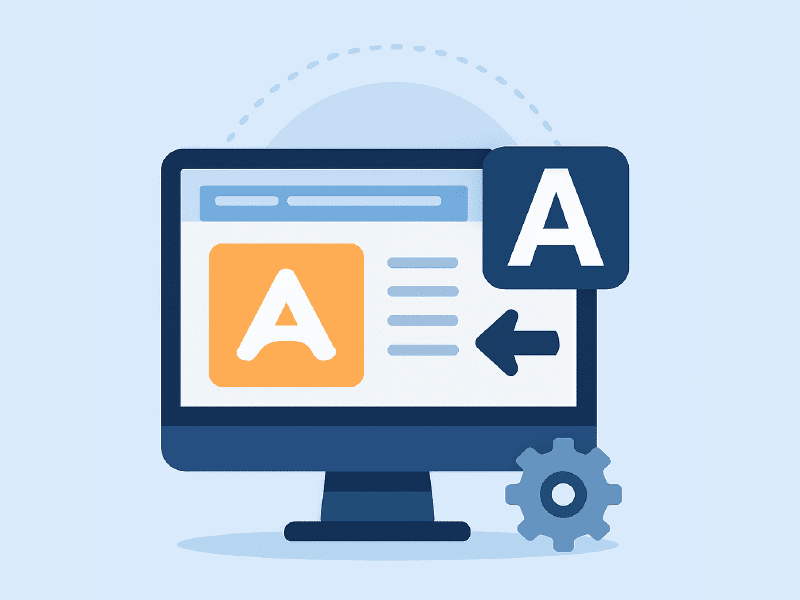
A favicon may be one of the smallest elements on a website, but it has a powerful impact on branding, usability, and user recognition. A favicon is the small icon that appears in browser tabs, bookmarks, browser history, and mobile shortcuts. When used correctly, it helps users instantly identify your website among dozens of open tabs or saved links.
Using a free favicon generator online like the UtilifyZone Favicon Generator allows anyone—beginners, bloggers, business owners, and developers—to create professional website icons without design software or technical skills. This practical guide explains what favicons are, how to create them step by step, and how to optimize them for modern devices, platforms, and browsers.
A favicon generator works as a complete favicon maker and favicon creator, helping users turn logos, images, or text into optimized icons that display correctly everywhere. Whether you are building a blog, eCommerce store, or business website, using the right favicon generator improves brand consistency and user experience.
Why a Favicon Matters More Than Most People Think
Many website owners underestimate the importance of favicons, assuming they are only decorative. In reality, favicons play a critical role in usability and brand recognition. When users open multiple browser tabs, the favicon becomes the primary visual cue that helps them find your website quickly. Without it, your page can easily get lost, increasing bounce rates and frustration.
A well-designed favicon also builds trust. Websites without favicons often feel incomplete or unprofessional, especially to first-time visitors. A recognizable icon signals credibility and attention to detail. Favicons also appear in bookmarks, browser history, and mobile home screen shortcuts, reinforcing your brand every time users interact with your site.
From an SEO and UX perspective, favicons contribute to consistency across platforms. Whether users visit from desktop, tablet, or mobile, a properly generated favicon ensures your site looks polished everywhere. This small visual element can significantly influence how users perceive and remember your brand.
How to Create a Favicon Step by Step
Creating a favicon using an online favicon generator is simple and beginner-friendly. Start by visiting the UtilifyZone Favicon Generator page. The first step is selecting a source image that represents your website or brand. This can be a logo, an icon, initials, or a simple symbol.
The tool supports common formats such as PNG, JPG, and SVG, making it easy to upload existing assets. If you already have a logo, the generator works perfectly as a favicon generator from logo, saving time and effort. Once uploaded, the image is previewed at favicon size so you can see how it will appear in browser tabs.
Next, adjust cropping, alignment, and background transparency. These settings help ensure the icon remains clear at very small sizes. Overly detailed images often lose clarity, so simplicity is key. After adjustments, choose the required sizes and generate the favicon files. The tool automatically creates optimized icons ready for use.
Finally, download the generated files and upload them to your website. Most platforms allow favicon uploads through settings, while custom sites can add them using a simple HTML line in the <head> section.
Choosing the Right File Format
Selecting the correct file format is essential for favicon compatibility and performance. The most widely used format is ICO, which supports multiple icon sizes within a single file. A favicon generator ICO output ensures compatibility with older browsers and systems.
PNG is another popular option. A favicon generator PNG produces high-quality icons with transparent backgrounds, ideal for modern browsers and clean designs. If your original design is vector-based, an SVG file can be converted into ICO or PNG formats using a favicon generator SVG to ICO workflow.
For best results, many website owners use both ICO and PNG formats together. This ensures the favicon loads correctly across all browsers, devices, and operating systems. Choosing the right format helps your favicon remain sharp, lightweight, and visually consistent.
Creative and Custom Favicon Options
Favicons do not have to be boring or limited to full logos. A custom favicon generator allows users to explore creative approaches that still maintain clarity. Many brands use initials, simplified icons, or symbols that remain recognizable at small sizes.
Some tools also support an emoji favicon generator, which is ideal for personal blogs, creative portfolios, or informal brands. A text favicon generator lets users create icons using letters or acronyms, perfect for minimal branding. For users experimenting with motion, a favicon generator animated option can add subtle animation where supported.
Customization features such as background color control, transparency, padding, and alignment help refine the final icon. These options allow users to create favicons that match brand colors and look good in both light and dark browser themes.
Platform-Specific Favicon Solutions
Different platforms have different favicon requirements. A good favicon generator simplifies this by producing icons that work seamlessly across systems. The UtilifyZone tool functions as a favicon generator for WordPress, favicon generator for Shopify, favicon generator for Wix, favicon generator for Squarespace, and favicon generator for Blogger.
For eCommerce stores, a favicon generator for eCommerce helps maintain brand consistency across product pages and checkout flows. Bloggers benefit from favicons appearing in feed readers and bookmarks, while businesses gain a professional presence across all touchpoints.
Developers and agencies managing multiple projects can also use the tool as a favicon generator for websites and blogs without worrying about compatibility issues.
Use Cases Beyond Standard Websites
Favicons are useful beyond traditional websites. Developers can use a favicon generator for mobile apps to create icons for progressive web apps (PWAs) and home screen shortcuts. These icons help maintain consistent branding between web and mobile experiences.
Favicons are also useful for internal dashboards, admin panels, SaaS tools, and browser-based applications. In email newsletters, digital documents, and branded tools, favicon-style icons can act as visual identifiers.
For teams managing multiple brands, features like favicon generator batch upload help generate icons efficiently, saving time and ensuring consistency across projects.
Advanced Features That Improve Results
Advanced favicon generators include features designed for modern devices and displays. Favicon generator retina ready outputs ensure icons look sharp on high-resolution screens. Support for favicon generator dark mode compatibility ensures icons remain visible and attractive in different browser themes.
Built-in editing tools act as a favicon generator editor, allowing fine-tuning of alignment, background, and scaling. These features are especially useful for designers and developers who want precise control over visual output.
Support for multiple formats, resolutions, and quick previews makes the tool suitable for both beginners and professionals looking for reliable results.
Final Advice for Users
When creating a favicon, always prioritize simplicity and clarity. A favicon should be instantly recognizable at a glance. Avoid complex designs and focus on strong shapes, letters, or symbols. Test your favicon across different browsers, devices, and screen sizes to ensure consistent appearance.
Use both ICO and PNG formats for maximum compatibility, and update your favicon whenever your branding evolves. A refreshed favicon can subtly communicate growth and professionalism.
By using a reliable online favicon generator like UtilifyZone, users can create optimized, professional icons that enhance usability, strengthen branding, and improve overall website credibility. A small icon, when done right, can make a lasting impression across every digital touchpoint.
Try it here => https://utilifyzone.com/favicon-generator/
What is a favicon generator?
A favicon generator is an online tool that creates small website icons displayed in browser tabs, bookmarks, and mobile shortcuts.
What is the use of favicon?
A favicon helps users quickly recognize a website, improves branding, and makes tabs easier to identify in browsers.
How to generate a favicon?
You can generate a favicon by uploading a logo or image into a free favicon generator online and exporting the icon files.
How to define a favicon?
A favicon is a small icon linked to a website that appears next to the page title in browser tabs and bookmarks.
Are favicon generators free to use?
Many tools, including a free favicon generator online, allow users to create favicons without cost or signup.
How do icon generators work?
An icon generator converts uploaded images into multiple favicon sizes and formats optimized for web browsers.